AniTuner is a
free software to create, edit and convert animated cursors (.ani
files).
Animated cursor files contain an animated mouse pointer like this one: and
are recognized natively by Windows.
Learn more about the animated cursor format here.
AniTuner
makes the creation and edition of these animated cursors easy. Everyone can now create his/her own animated cursors
and animations in a snap:
- Make animated cursors from animated GIF, AVI clips, bitmap strips, or by
importing existing image files (BMP, JPEG, PNG, GIF, PSD, ICO, CUR) as cursor
frames.

- Create animated GIF, AVI clips, Adobe Flash movies, bitmap strips from animated
cursors or any other image set.

- Resize and edit frames, set frame duration, change color depth, create 32-bit XP
and Vista cursors with partial transparency (alpha channel).
Replace the default mouse pointers of Windows by animated cursors made with AniTuner. Or use AniTuner to produce animations for your web pages, blogs, instant messaging applications, e-mails, presentations, video clips or even programs...
AniTuner
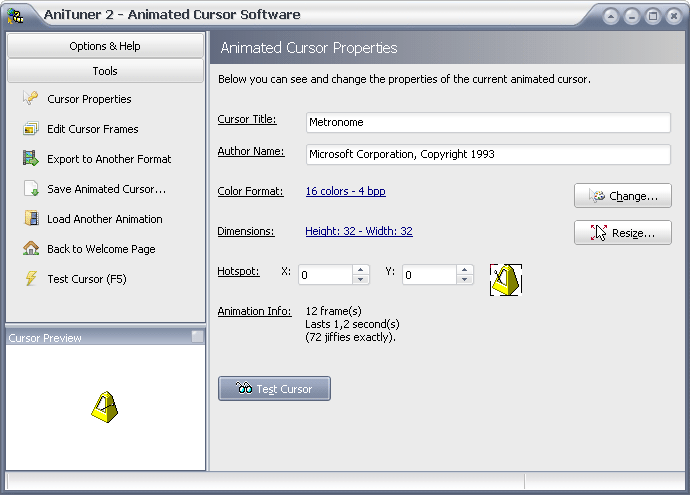
features an easy-to-use interface that lets you visually edit and convert
all of your animated cursors in a snap. AniTuner is the successor
of our old product called AniToAvi Wizard, and is a
full freeware program.
Available with a standard installer (and uninstaller) or as a portable edition with no required installation: you can
run AniTuner from any removable storage device like a USB stick, and without leaving traces on the computer.
AniTuner comes with a lot of features that allow you to:
- open and display any animated cursor stored in ANI files.
- make animated cursors from GIF (animated), video AVI and bitmap strips.
- import image files (BMP, JPEG, GIF, PNG, Adobe Photoshop PSD, CUR, ICO) to turn
them into static cursors or animated cursors.
- export frames from animated cursors to several image formats.
- modify existing animated cursors, and change their color depth or size.
-
convert
animated cursors to animated GIF, AVI, bitmap strips or Adobe Flash SWF movies.
On this page, all animated GIF files were generated with AniTuner.
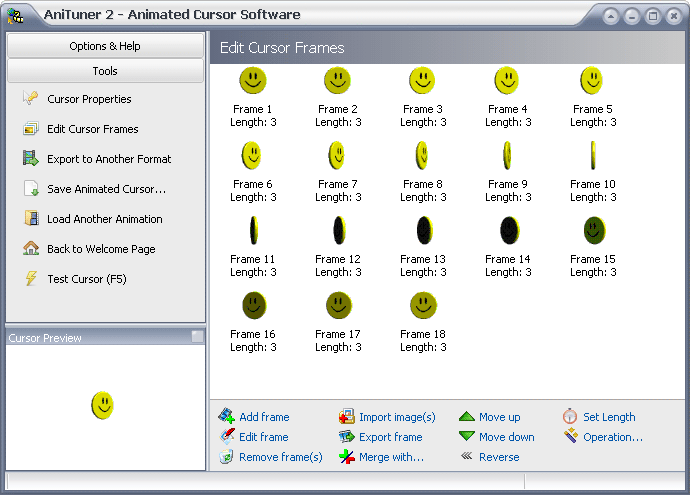
- edit frames, change their duration, modify them in your favorite image editor
and save changes back to the animated cursor.
- perform operations directly on one or several frames like rotation, flip,
reverse, or image merging.
AniTuner deals with any cursor size (not only 32x32) and
color depth (from grayscale to RGBA). It especially handles 32-bit
cursors with an 8-bit alpha channel, allowing partial transparency in
Windows 2000, XP and Vista cursors.
- turn your old 16 or 256-color animated cursors into 32-bit animated cursors with
a semi-transparent shadow: make animated cursors for Windows XP and Vista.
- export and import animated cursors as a series of PNG files with alpha channel
optionally.
- browse for animated cursors on your computer and preview them directly in
AniTuner.
See a list of all features,
view some
screenshots and video tutorials.
|
 |
 |
.: Have fun with cursors!
Create personalized animated cursors
and animated GIF for your web pages and blogs.
Customize your
Windows mouse pointers or put funny animated images, emoticons and smileys in your emails,
messages, IM...
Programmers can also use animated cursors in their applications.

:: Convert your existing
animations like animated GIFs to animated cursors
|
 |
 |
.: Some awards for AniTuner


|
|