We are excited to unveil Paquet Builder 2025, our first product release for 2025 and a major upgrade. This latest version is packed with innovative features and enhancements designed to streamline your packaging process.
🌟 A Modernized User Experience
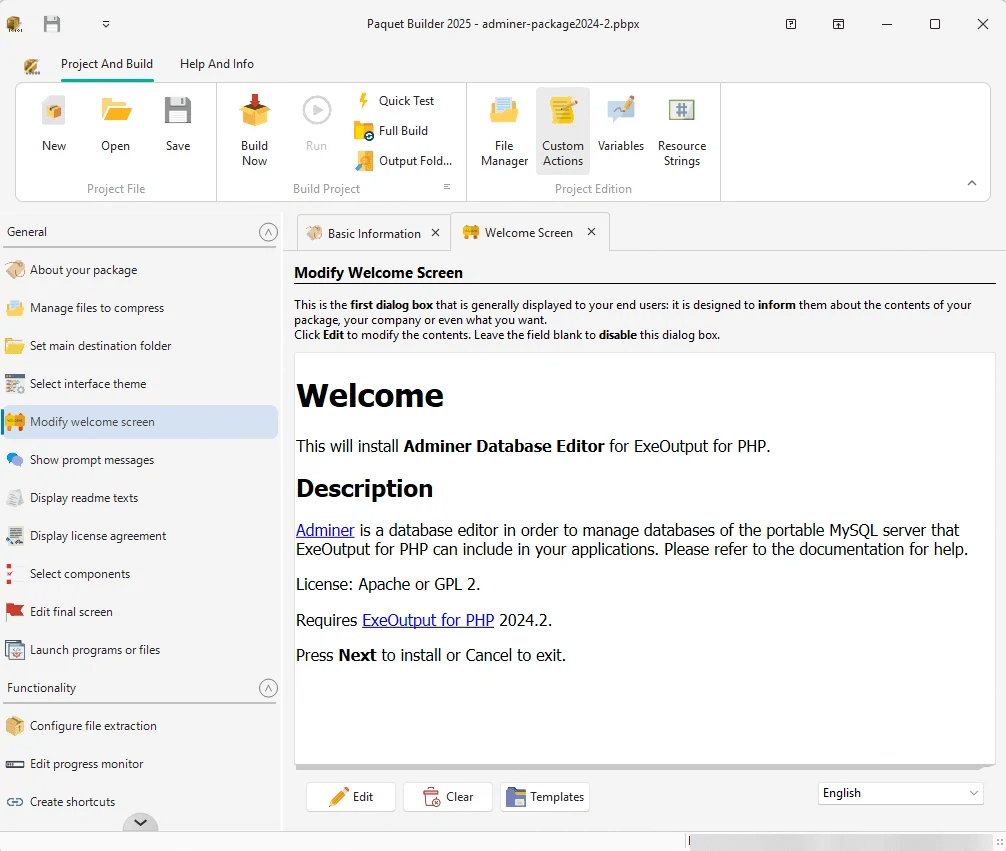
Paquet Builder 2025 introduces a completely revamped user interface. The new tabbed layout offers a more intuitive and visually appealing experience, resolving previous display issues with large fonts and window resizing.
⚡ Performance and Compatibility Boost
With the integration of the Clang C compiler and a new EXE linker from LLVM, Paquet Builder 2025 delivers enhanced performance and compatibility, particularly with the latest Windows 11 updates.
📂 Enhanced File Management
Navigating and managing files is now faster and more accurate with the improved File Manager. Sorting functionality has been corrected.
🛠️ New Functionalities
This version brings several new features:
- Component Exclusion: Easily exclude components from builds using new component property and directive option.
- Customizable Dialog Boxes: Markdown dialog boxes now support custom PNG and BMP images, allowing for greater customization of your installers.
🔧 Upgraded Core Components
Paquet Builder 2025 integrates the latest versions of the 7-Zip and LZMA SDKs, providing stronger compression and better performance. Other internal components have also been upgraded to enhance overall functionality.
🚀 Productivity Enhancements
New hotkeys (e.g., CTRL+S to save) and improved multi-threading for faster file extraction are just a few of the productivity enhancements in this release. These improvements are designed to make your installer making process more efficient.
🐞 Bug Fixes and Optimizations
Numerous minor bugs have been fixed, code quality has been improved, and command-line parameter handling with %PARAMS% has been refined.
🔄 Why Upgrade?
Upgrading to Paquet Builder 2025 ensures you have the latest features, improved performance, and compatibility with recent Windows 11 releases.
➡️If your maintenance is active, you can upgrade at no additional cost. You just have to download Paquet Builder, install the software, and then launch Paquet Builder. When you do, it might prompt you to activate your license. Simply enter your activation code as usual, and that’s it.
➡️If it has expired, renew now at a discounted rate by logging into your My Account page and taking advantage of our special offer.
Thank you for your continued support, and happy packaging! 🎉
Start Exploring Paquet Builder 2025
Take the Next Step in File and Software Packaging: Download Paquet Builder 2025 today to benefit from the latest features and enhancements. Whether you’re new to Paquet Builder or looking to explore its capabilities, try our free version or start a trial to experience the difference.
