
 AniTuner
Browsing for animated cursors
 Do you wish to preview animated cursors before opening them in AniTuner? If yes, you can do this by choosing "Browse for animated cursors" in the Welcome page.
A window similar to the standard Windows File Open dialog will be displayed, allowing you to navigate through your folders and select the .ani files you wish to see:
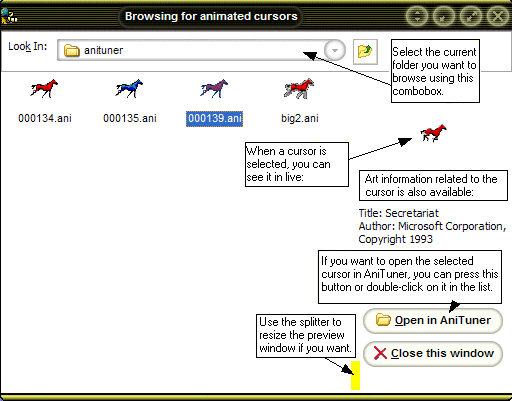
This window may be resized or even maximized if you need it.
If your folder contains a lot of animated cursor files (> 100 for instance), it may require a small delay to load and process all animated cursors (depending on your computer configuration and Windows version).