
With the icon editor of GConvert, you can edit any icon (ICO file or embedded icon resource from icon libraries): add new icon images, generate other icon formats automatically, remove icon images, export ICO files…
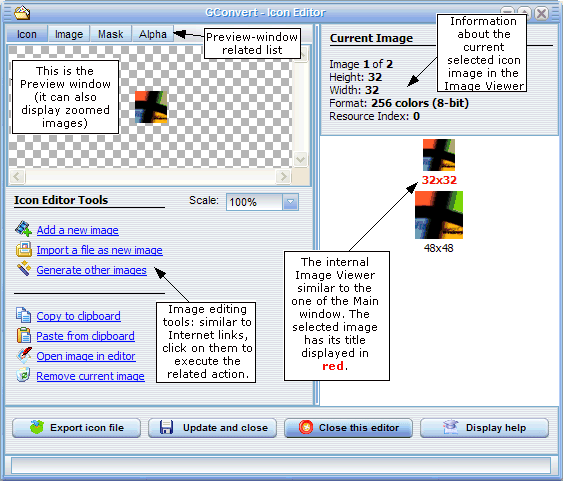
This editor is not a standard paint program because you probably already have your own favorite image editing tool, so it works more like an image converter and manager.
For any icon image, you can see its properties, image (XOR), mask (AND) and alpha channel. It is also possible to enable/disable PNG compression for Vista icons.
With Generate other images, you can automatically create all kind of icon images from a single source icon image. The new icon images are generally correctly created and their transparency is preserved (including the alpha channel for 32-bit icon images). Color conversion and image resizing are automatically performed. More information
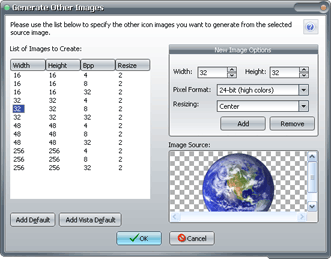 For instance, default icon images for Vista can be created in two clicks.
