
 GSplit
Self-Uniting app
The Self-Uniting app is a small program written next to the pieces that rejoins them. The recipient double-clicks it and gets the original file back, without installing GSplit. It replaces the self-extracting EXE of GSplit 3.
Find it under Self-Uniting in the navigation pane of the Split view: the pages Properties, Operation and Language.
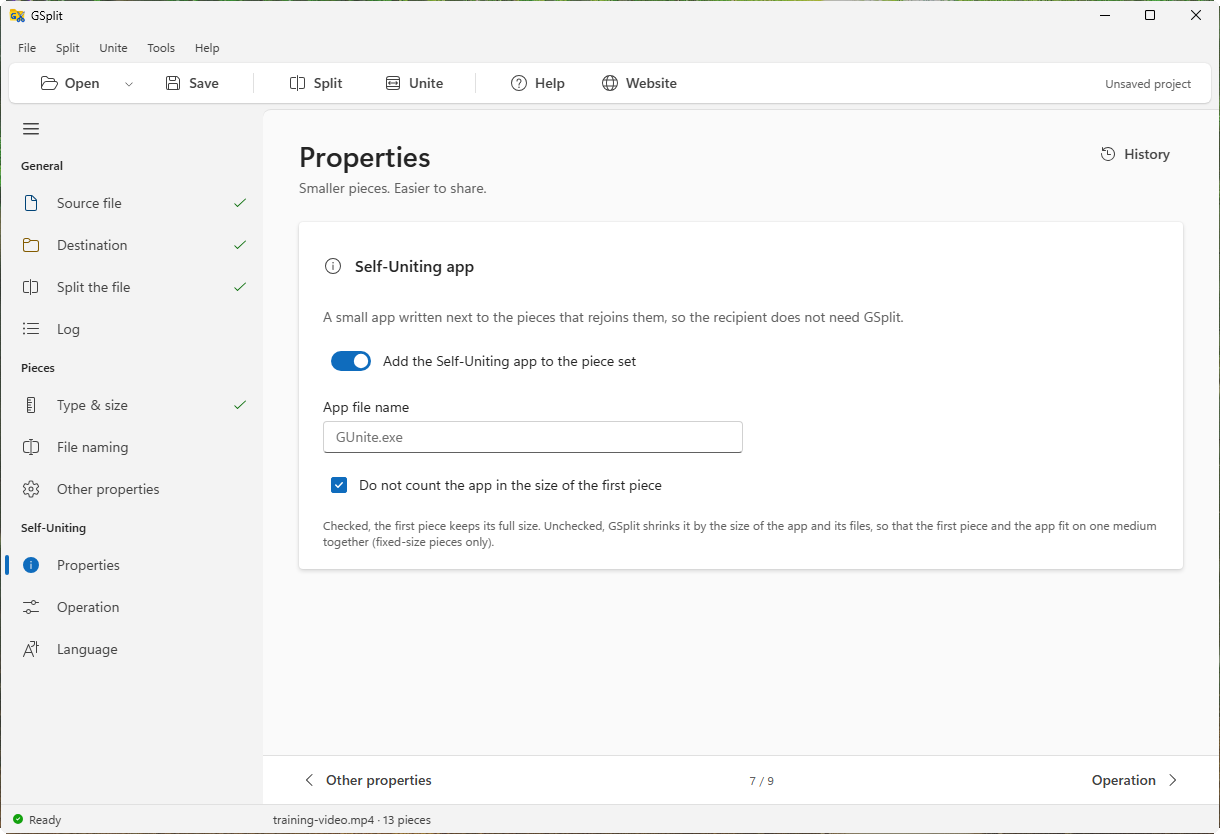
Properties
Section titled “Properties”Add the Self-Uniting app to the piece set
Section titled “Add the Self-Uniting app to the piece set”A switch, on by default. When it is on, GSplit writes the app and its .ini after the split.
The switch is unavailable, and every other Self-Uniting setting greyed out, in two cases:
- Raw pieces is chosen as the piece format in Other properties. The app needs the metadata of the pieces to find them.
- Only create these pieces is on in the Split the file page. The app rejoins a whole set.
App file name
Section titled “App file name”The name given to the copy of the program. Leave it empty for GUnite.exe.
On Windows GSplit adds .exe when you leave it out: Restore gives Restore.exe. The name cannot contain \ / : * ? " < > |; the field shows an error when it does.
On Linux the console program gunitec is copied, and a trailing .exe is dropped: the default name is GUnite.
Make room for the app on the first disk
Do not count the app in the size of the first piece
Section titled “Do not count the app in the size of the first piece”Checked by default: the first piece keeps its full size.
Unchecked, GSplit shrinks the first piece by the size of the app and its files (the program, 8 KB for the .ini, the header image and the language file), so that piece 1 and the app fit on one medium together. The page shows the amount under the option: The app (GUnite.exe) and its files take … off the first piece, which must be larger than that. If the piece size leaves no room once these files are counted, GSplit refuses the split and names them.
The option applies to pieces of a fixed size. It is unavailable when you split by lines or by occurrences of a pattern.
How the companion files work
What GSplit writes
Section titled “What GSplit writes”GSplit 3 built its self-uniting EXE by rewriting an executable. GSplit 4 never modifies a program. After a successful split it copies the signed GUnite.exe that ships next to GSplit.exe into the destination folder and writes a sibling .ini file with everything the program needs: the set, the list of pieces with their sizes and CRC-32 values, and the settings of the three Self-Uniting pages.
| File | Content |
|---|---|
GUnite.exe | Byte-for-byte copy of the signed program, under the name you choose. Renaming it does not break its signature. |
GUnite.ini | The set description and the settings. It carries the name of the app: Restore.exe is read with Restore.ini. See Self-Uniting companion .ini. |
| Header image | Your image, copied under its own file name, when you chose one. |
| Language file | The .po catalog, copied under its own file name or as <code>.po. |
When GSplit has to rename the pieces so as not to replace another set ((2) in front of the names), the app and its .ini take the same prefix.
If the program is missing next to GSplit.exe, GSplit still writes the .ini and tells you that GUnite.exe was not found. You can drop the program next to the .ini later.