
 GSplit
Self-Uniting: Language
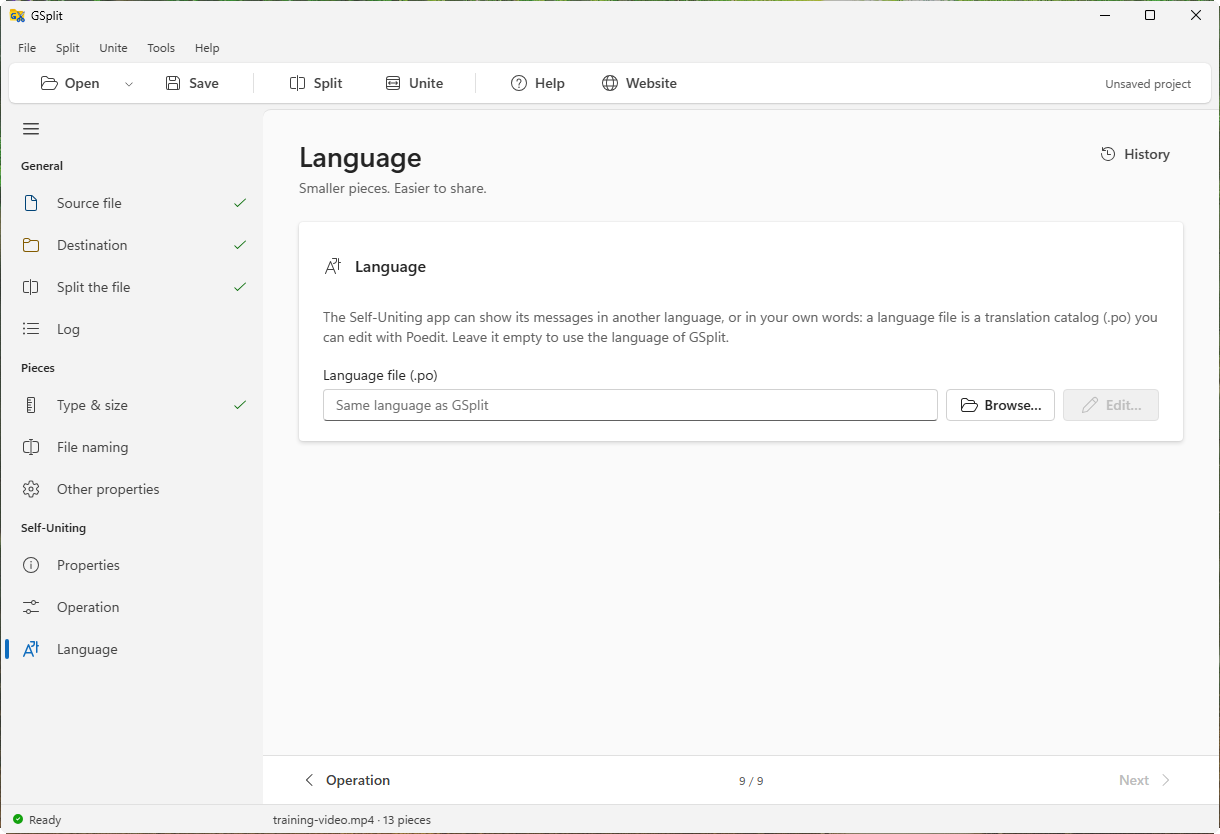
The Language page sets the language of the messages of the Self-Uniting app. By default the app speaks the language of GSplit. You can give it another one, or your own wording, with a translation catalog.
Find it under Self-Uniting > Language in the navigation pane of the Split view. The fields are greyed out while the app is off.
Options
Section titled “Options”Language file (.po)
Section titled “Language file (.po)”The path of a gettext catalog (.po). Leave it empty to use the same language as GSplit.
- Empty, GSplit in a language other than English: GSplit copies its own catalog next to the app as
<code>.po(for examplefr.po) and names it in the.ini. - Empty, GSplit in English: nothing is copied; the app uses its English messages.
- A file you chose: GSplit copies it next to the app under its own file name.
When the app starts, it loads the catalog from the folder of its .ini file. The --lang switch on its command line wins over the catalog; with neither, the app takes the language of the system. The languages that GSplit includes are listed in Languages.
Browse…
Section titled “Browse…”Opens a file picker for .po files.
Opens the file in the application that the system associates with .po files, such as Poedit, so that you can translate the messages or change their wording. It is available when the field is not empty.