
 GSplit
Log
The Log page lists the messages of the last split run in this window: what was written, warnings and errors. A new split starts a new log. Use it when a split ends with a warning or an error, or to keep a record of a run.
Find it in the navigation pane under General. The result banner of the Split the file page also has a View log button. The Log page is not a step of the workflow: Previous and Next skip it.
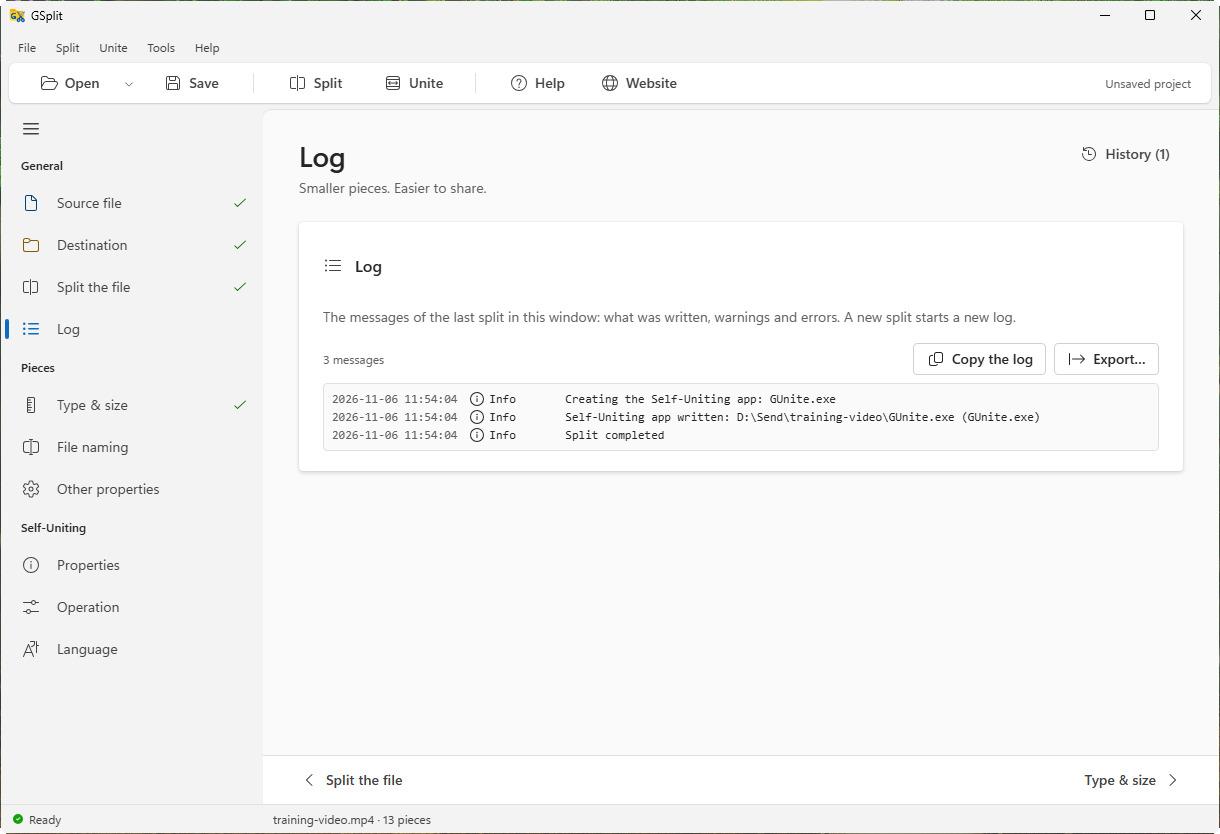
Before any split, the page reads No split has run in this window yet. Afterwards it shows the number of messages and the messages in order, each with an icon for information, warning or error. When the log has more than 2000 messages, the page shows the last 2000; Copy the log and Export… always take all of them.
Copy the log
Section titled “Copy the log”Copies the whole log as text to the clipboard. Disabled while the log is empty.
Export…
Section titled “Export…”Saves the log as a text file. GSplit proposes the name <source file>-split-log.txt, or gsplit-split-log.txt without a source file. The text starts with a heading made of the GSplit version, Split and the file name. Once saved, the page shows the path of the file.